 Last month I launched my latest book project, Buy Buttons, out into the world. On Day 1, it became an Amazon bestseller and has gone on to collect 75+ 5-star reviews and sell more than 2600 copies.
(If you prefer audio and you’re new to Audible, you can actually get the audiobook version for free!)
My process was much more involved this time around than it was two years ago for the launch of Work Smarter. A lot has changed during that time so I was excited to put some new ideas to the test.
In this post, I’ll break down the entire writing and launch process, step-by-step, start to finish. Grab a coffee (or a beer), and settle in to learn what went into:
- Validating the book idea.
- My project planning process.
- The actual writing.
- The editing, formatting, and cover design.
- The launch team.
- My pre-launch buzz-building strategies.
- The launch-week marketing blitz.
I’ll also share what I spent each step of the way and how much the book has earned in royalties so far.
The Idea and Validation Stage
Like Work Smarter, Buy Buttons started as a blog post idea. After my conversation with Glenn Carter about the sharing economy, I was on the hunt for a massive database or directory of all the different peer-to-peer apps and platforms people could use to make money (like Uber, Airbnb, and TaskRabbit).
When I couldn’t find that resource, I decided to create it. The resulting post included more than 200 ways to make extra money — mostly via marketplaces ranging from the household names to the obscure. (I’ve since pared down the list.)
It took 40+ hours to research, compile, and format, but the post did really well. It got a lot of traction on social media (2000+ shares) and is the most popular article on the site this year (45,000+ pageviews).
The performance of that post served as validation that these “marketplaces” were a hot topic if I could expand on them even more and include more case studies, success stories, and examples.
Members of my mastermind encouraged me to take the next step and turn it into a book. To give you an idea of timing, this was at the end of June.
The Planning Stage
In early July, I flew to Chicago for the Podcast Movement conference. On the flight there, I wrote down my initial project plan. It looked like this:
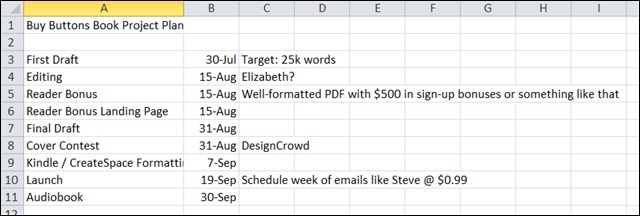
I gave myself a month to finish the first draft with an estimated length of 25,000 words. I budgeted in time for editing and revisions, creating and setting up a lead magnet, cover design, and formatting.
I originally targeted a September 19th launch, giving myself about 2.5 months to ship this thing. I ended up launching on the 26th instead, but without this project timeline the book might still not be out!
Creating this timeline plan was really helpful. Even though all the deadlines were self-imposed, I’d convinced myself they were real.
Download the Self-Publishing Checklist
There's a LOT that goes into turning a book idea into a successful product. Don't go into it blind.
Grab the free best-selling book project checklist:
You'll also receive my best side hustle tips and weekly-ish newsletter. Opt-out anytime.
The Writing Stage
After the initial excitement and honeymoon phase of any new project, the reality sets in: this is going to be a ton of work!
I was able to do some content outlining and general structuring on the way home from Chicago (because airplane time is great for productivity), but found myself intimidated by the process and procrastinating once I got back home.
A couple things helped get the ball rolling. The first was blocking off time for writing — a dedicated 4 hours a week. It looked like this:
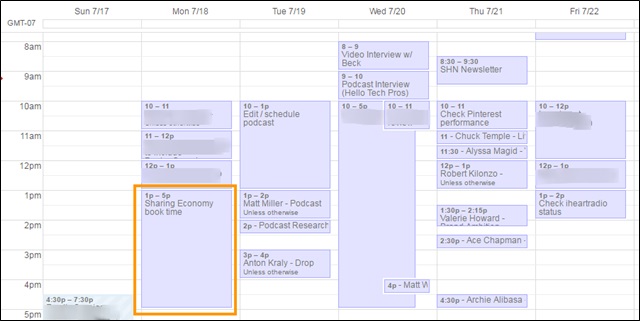
Every Monday afternoon I made a date with myself to spend that time on the book. Originally I thought it could be a 4-hour a week project–the perfect side hustle case study–but I ended up spending more time than that as the weeks went on and I got closer to my launch deadline.
The other thing that was helpful was creating an outline first, and then working to fill in the gaps. I find that so much easier than starting completely from scratch. In fact, I’m using the same system for this blog post.
I definitely did not write the book in chronological order, but instead “picked off” sections that sounded interesting or I was motivated to get done at the time.
Use What You Already Have
If the idea of writing a book is daunting, you may be closer than you think. For Buy Buttons, I literally copied and pasted the 7500 word sharing economy post into my Word document. Of course I rearranged, re-wrote, and added to it, but that immediate boost in the word count was helpful and motivating.
Using that same strategy, I dug into the blog and podcast archives to see what other “Buy Buttons” stories I could find. There were lots!
In total, the book ended up being 46,000 words (way more than the original 25,000 I’d estimated!), but more than half was already drafted in the form of blog posts or podcast notes.
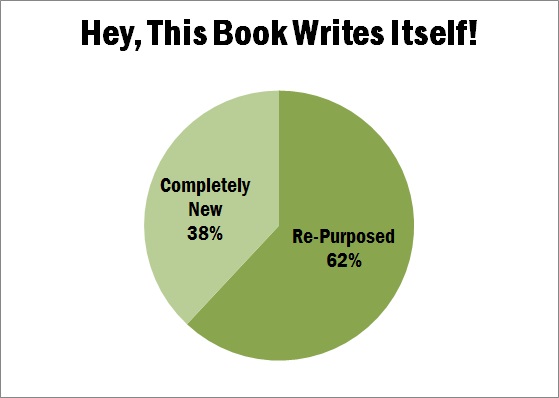
I had some initial qualms about selling what was available for free, but quickly got over myself when I realized a few things. First, I’m probably the only person on the planet who’s consumed ALL that content already. Second, there’s value in curation and organization. And third, it’s a common practice among authors in both fiction and non-fiction. (Seth Godin and Andy Weir, for example.)
And of those 2600 copies sold, no one has complained yet. Fears unfounded.
Research
The bigger challenge was filling in the case studies and stories for the platforms I didn’t already have my own experience or connections for. I found help in three places.
Direct Outreach
The first was reaching out to the platforms directly. I usually used a press email (and actually already had a few of these in my inbox from marketing the 200+ ways post), and asked if they had anyone doing well on the platform I may be able to feature.
That’s how I connected with Kat, the Zazzle designer, Catherine, the EatWith chef, and several of the other successful side hustlers featured in the book.
Pretending to be a Reporter
The second was HelpAReporter. I’ve used this service as a “source” many times in the past; it’s a great way to get press exposure and backlinks to your site.
But this time I submitted a few queries as “press” and was able to fill in some of the gaps in my book that way. (It’s not the first time I’ve used HARO to help write content.)
It was actually through HARO I met Alexandra Kenin, whose story about tapping into big travel marketplaces to build her side hustle was a perfect fit for the book. We ended up recording a podcast episode about her business of leading urban hikes in San Francisco as well.
The Side Hustle Nation Community and Email List
The third place I turned was the Side Hustle Nation community. It was through the Facebook group and email list I connected with Janelle Jones, an Airbnb host in Atlanta, Dan Khadem, a Wyzant tutor in Denver, and several others.
The Fallacy of “Done”
Because the book ran 20k+ words longer than I’d anticipated, I was about a month behind on my projected timeline. And worse, there were still parts of the book I wanted to expand on and find illustrating examples for.
But there comes a time when perfection is the enemy of good enough, and I had to call it if I wanted to ship by the end of September.
Editing and Proofreading
For editing and proofreading, my wife Bryn took the first pass. Then I handed the book over to Elizabeth Stockton from ClearSharpWriting.com. Elizabeth is a professional editor and a member of the Side Hustle Nation community, so it was a good fit.
I was actually pretty nervous to hand over “my baby” to an editor, in case she thought the whole thing was horrible and needed to be re-written from scratch. That would not have meshed well with the launch timeline!
Thankfully, Elizabeth didn’t feel like a wholesale re-write was in order. She turned the edits around quickly and just a few days later I had my 2nd (and “final”) draft.
Cost: $600.
This was a big investment and one I hadn’t made since my first book project, where I found an editor getting started on Elance for around $100. If you have budget for editing, I think it’s money well spent.
And if you don’t, at the very least have one or two trusted readers go over your book before hitting publish.
My new hack: Even after 3 rounds of proofreading (mine, Bryn’s, and Elizabeth’s), I still found typos in the text while recording the audiobook.
So not only was I producing another sell-able asset, reading the book aloud word-by-word helped uncover a few more small mistakes. More on the audiobook below.
Chapter Upgrades
While the book was being edited, I set out to create the lead magnet for the book. Or rather, lead magnets I should say.
With my previous titles, I’ve included one book-wide bonus offer, that readers can get in exchange for an email address. The standard practice is to put this offer in the front of your book so it’s visible on the Amazon “look inside” feature even if people don’t buy.
Here’s an example from Work Smarter:
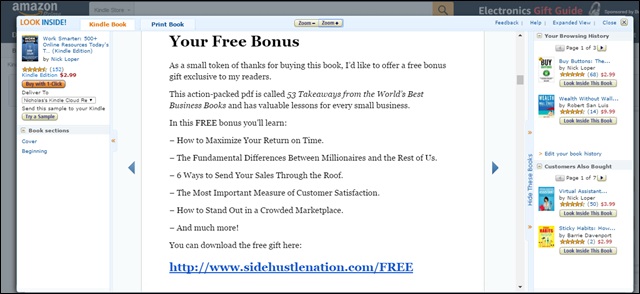
This strategy has added over 1000 people to my email list. I’ve even tested making a book permanently free on Amazon for this sole purpose.
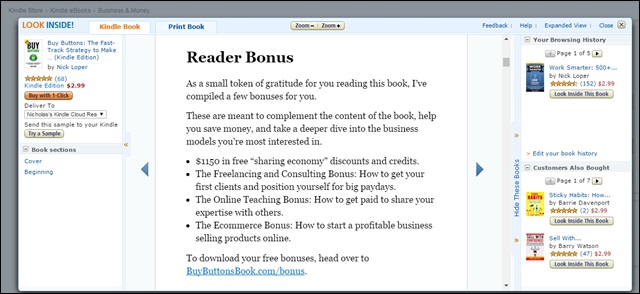
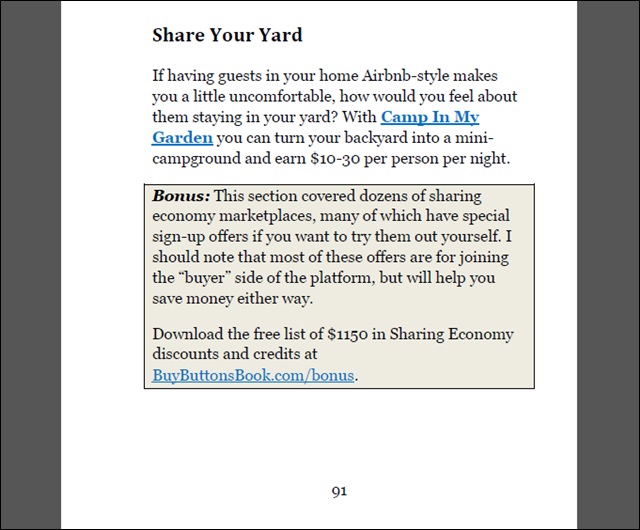
For Buy Buttons, I wanted to step up my game. I borrowed Kevin Kruse’s “Chapter Upgrade” strategy and created 4 different bonus offers in the book. I plugged each one in context and at the beginning and end of the book.
Here’s what it looks like in the intro:
And here’s what it looks like in-context:
Shameless plug: Don’t those bonuses sound great? You can check out them out here, even if you didn’t get the book.
So far, more than 500 people have opted-in for them. From 2600 sales, that’s nearly a 20% conversion rate!
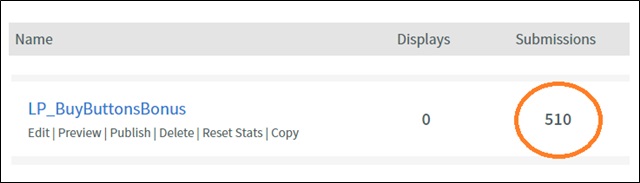
The upgrades provide “next level” content or different strategies than those discussed in the book. I created them quickly by selecting podcast notes that complemented the chapters.
I used LeadPages to create the landing page and handle the file delivery.
Keyword Research and Title Selection
At this stage of the game, I knew I wanted to call the book “Buy Buttons” — I think it has some nice brandable alliteration, and is a phrase I’ve mentioned on the podcast before in reference to the platforms and marketplaces explored in the book.
But I didn’t have a subtitle, and that proved to be a bottleneck. After all, you can’t get your cover made until you know what you want on it!
I started by doing some keyword research, using the Google Keyword Planner, Merchant Words, and Dave Chesson’s new KDP Rocket software.
I plugged in a bunch of different keywords I thought were relevant to the content of the book:
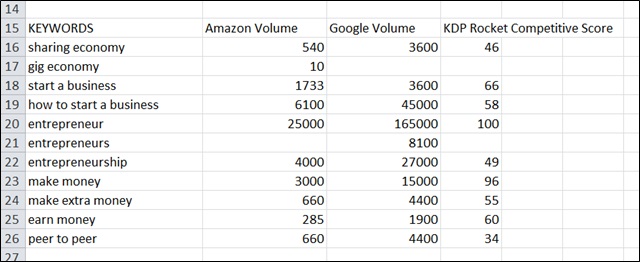
I found some interesting data. For example “entrepreneur” gets a lot of searches, but is also super competitive. In the subtitle, I chose to target phrases like “make extra money” and “start a business” instead of some of the more competitive terms.
I created several subtitle options, and asked both my launch team (more on that below) and the SH Nation Facebook group for help:
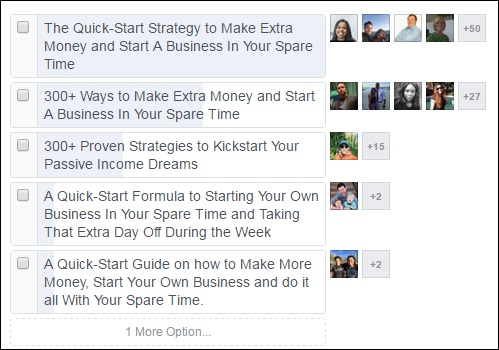
Note: This is a fun way to build pre-launch buzz too.
The problem was the groups didn’t agree! The launch team, which was more familiar with the content of the book, overwhelmingly chose the “300+ Ways” title.
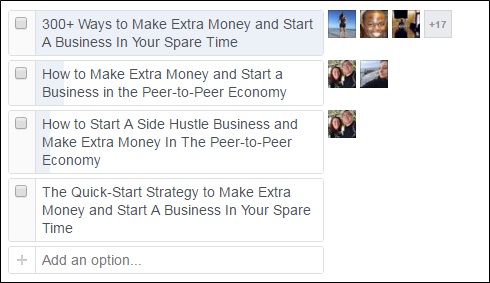
I hemmed and hawed over this decision for days. I know “number titles” can work really well, and I didn’t really want to overrule my launch team … but the results from the other group kept me up at night.
Ultimately I decided to go with the more “high-level”-sounding title. I was worried the “300+” would cheapen the work or be overwhelming to potential readers. This was a marketing the move to position the book in a slightly different light. The compromise was to put a call-out on the cover and on the Amazon page about the “300+ apps and marketplaces.”
It would have been interesting to split test with a live audience, but alas, not possible. I had to make a decision and move on, because I needed a cover designed and this was holding up progress!
The result: Buy Buttons: The Fast-Track Strategy to Make Extra Money and Start a Business in Your Spare Time
Pet peeve: “earn money” is more accurate. Only the mint “makes” money, but gotta go with what the people are searching for.
Related: How to Choose the Perfect Title for Your Book
Cover Design
For the cover, I knew I wanted to give DesignCrowd a shot. They’d been sponsoring The Side Hustle Show podcast this year and I was excited to test out their crowdsourced design service.
The basic concept is this: several designers submit their ideas and compete for your business.
Naturally, the more you pay, the more designs you can expect to attract and theoretically the higher quality they’ll be. This was a little tough for me, since I’d never spent more than $5 on a book cover before.
Well, that’s not true. I’d bought a few Fiverr’s in search of a winner before. But still, my DesignCrowd contest was big money for me so I had high hopes for an awesome cover.
Cost: $233.
Running Total: $833.
I started with my design brief, in which I attempted to describe my “vision” for the cover. I included a link to actual button graphic they could use, and shared a couple examples of covers I liked:
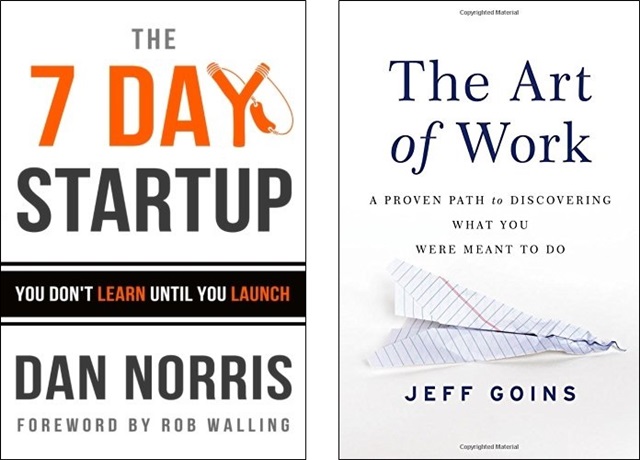
In total, I received 35-40 design submissions from 13 different designers.
Some were just plain awful.
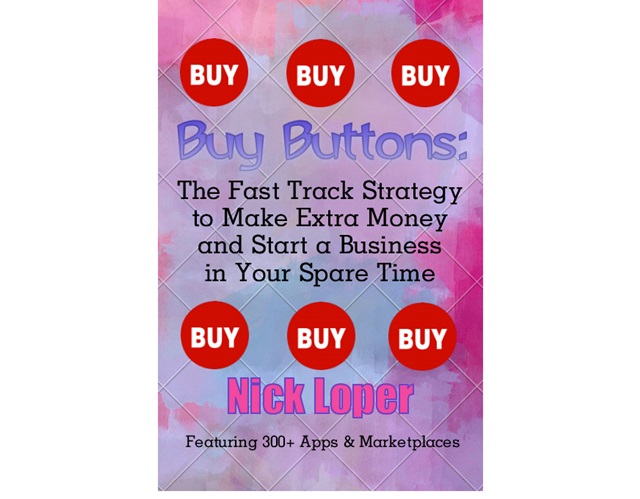
Some couldn’t even be bothered to spell the title correctly.
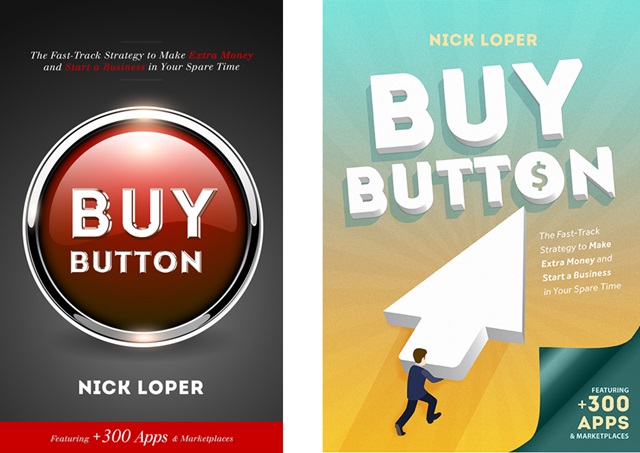
Some were medium.
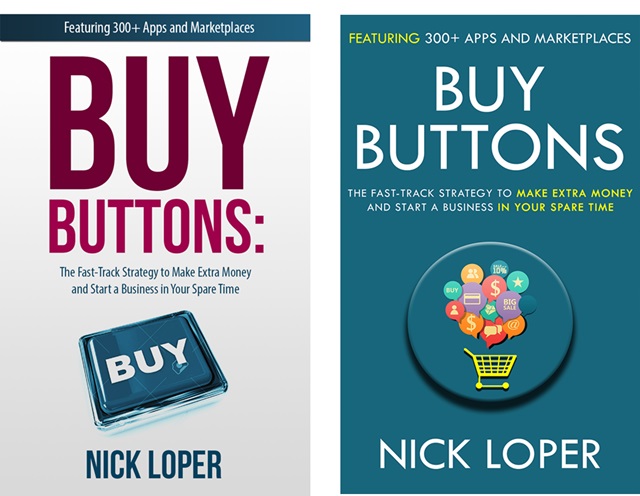
And some I really liked.
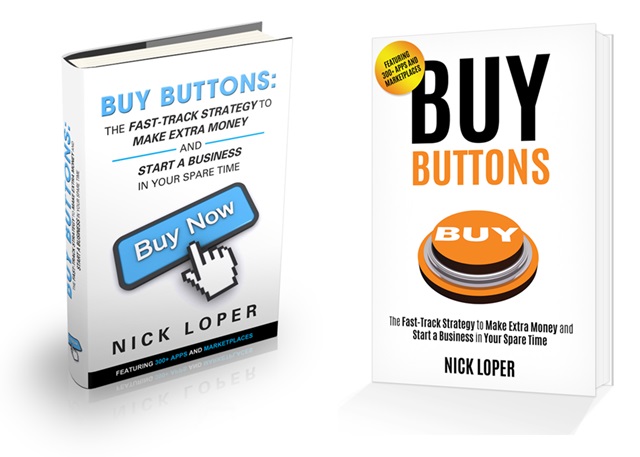
It was cool to see such a variety of interpretations and designs come in. I think that’s the biggest advantage of a crowdsourcing service like DesignCrowd. I was able to communicate back and forth with the designer to test out different color variations and different graphic options.
Once I’d narrowed things down to my favorite concept, there was a great debate in the Facebook group about which color was best:
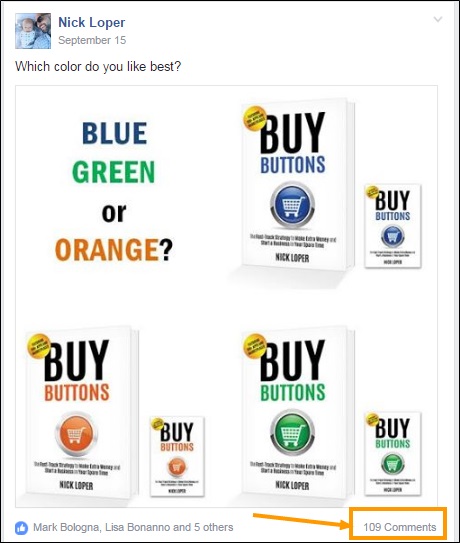
The blue version actually tallied the most votes, with people making great arguments for their choice in every direction. This was another stressful decision point that I was definitely over-analyzing the crap out of!
It wasn’t until I superimposed those thumbnails on a page of Amazon business book bestsellers did I make up my mind.
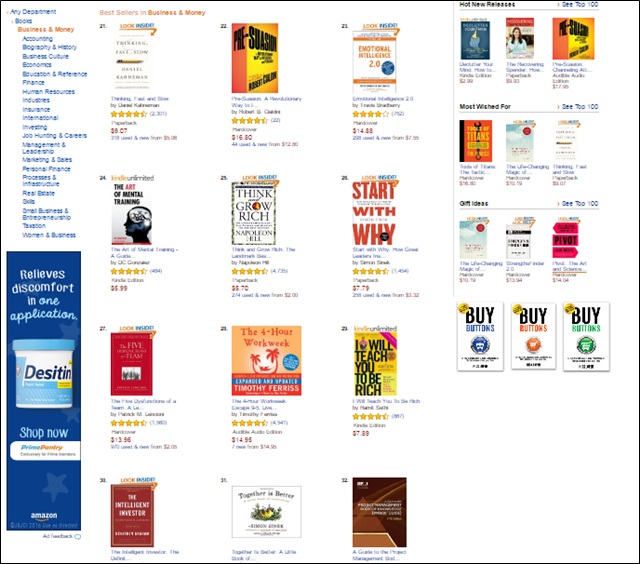
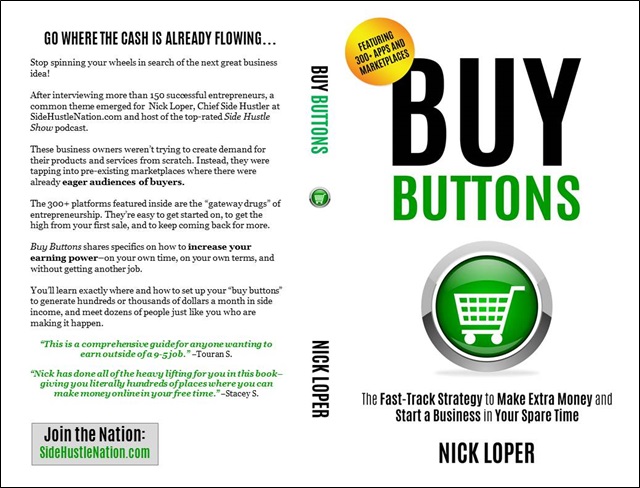
There was a LOT of orange and blue already on that page, so I went with the green one:
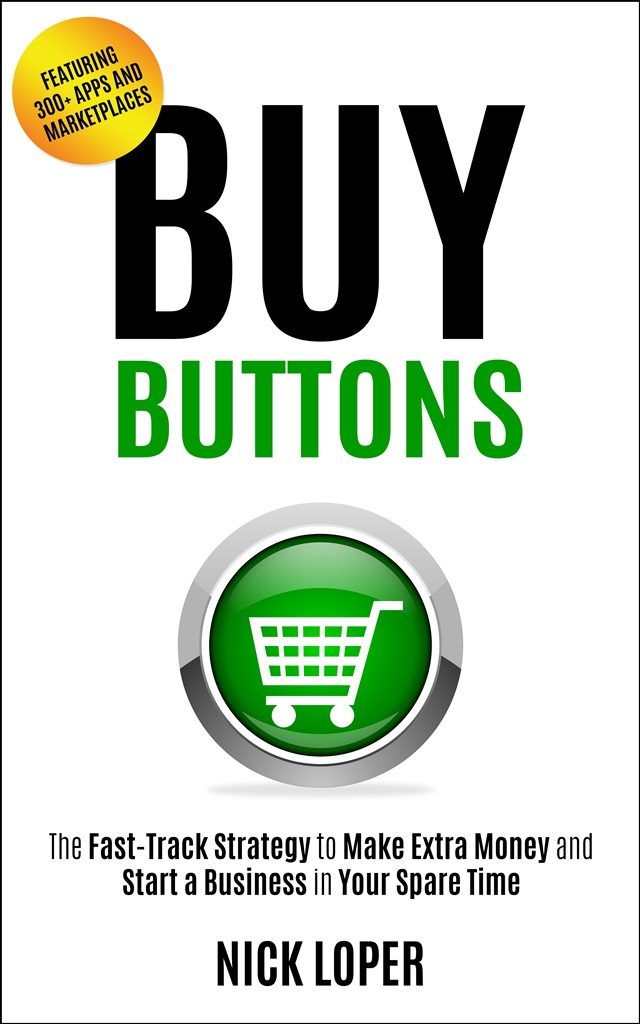
Plus, like many people mentioned, green symbolizes money and fits well with some of the green branding on SideHustleNation.com.
Note: I bought the rights to the little button graphic used on Shutterstock.com. My license is valid for up to 500,000 units sold, so I’ve got a ways to go :)
Cost: $29.
Running Total: $862.
I used PowerPoint to make my paperback cover.
Kindle and Paperback Formatting
I used Calibre to convert my .docx file to .mobi for Kindle.
The paperback formatting took a little more time, using CreateSpace’s digital previewer to make sure all the page and paragraph spacing looked OK. Going through page-by-page was tedious and time-consuming.
I also bought my own ISBN, instead of getting a free own through CreateSpace like I’ve done with all my other books. The reason is this theoretically gives you more flexibility on distribution, particularly in brick-and-mortar stores. That’s a project for another day, but for $99 I wanted to leave that door open.
Cost: $99.
Running Total: $961.
Uploading to Amazon
This is important: I wanted to have both the Kindle and paperback editions uploaded to Amazon several days before the launch. This would give me time to quietly collect pre-launch reviews, make sure both editions were syncing to one sales page, and to set-up my “vanity domain” redirect. It would also give me time to claim the book in Amazon Author Central, to have it linked to my Amazon author page.
I’ve seen other people upload their books and set a release date in the future to try and collect pre-orders. While that can work if you have a big audience, for most authors you don’t want to send people to your book on launch day and have them see a big fat zero reviews.
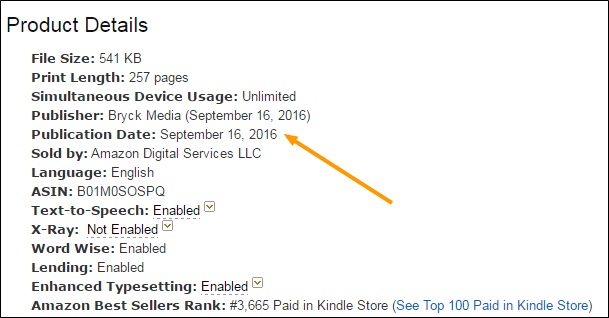
That’s why if you look closely you’ll see a publication date of September 16th, while I didn’t launch “publicly” until the 26th.
Audiobook
After hearing Pat Flynn mention that the audiobook for Will it Fly outsells both the Kindle and CreateSpace versions, I was determined to test out this new medium as well.
Even for someone who’s been recording and editing audio for the last 3 years, this was BIG challenge. It was really difficult to read my own work word-for-word with intonations that made sense.
It took several days to record and edit what amounted to 4 hours of audio. The silver lining is the process uncovered several more typos and mistakes I hadn’t caught before.
I’m still working with ACX to get final approval on the files. Big thanks to Scott Panfil for all your help!
Update: You can get the audiobook version free with an Audible trial!
I’m excited to explore this new potential sales channel and revenue stream.
And that about wraps up the content creation side of things. Ready to learn about everything that went into the marketing? Let’s do it.
Assembling a Launch Team
The marketing for this launch looked very different than my marketing for Work Smarter. First, I was going to attempt a paid launch at $0.99 instead of a free launch. And second, my network, audience, and reach was MUCH larger this time around. (The email list alone was 35x bigger for this launch than it was in 2014.)
One of the cornerstones of the Buy Buttons launch was having a dedicated “launch team.” Basically this was a group of awesome individuals who agreed to help me in the writing process, read the book early in exchange for an advance copy, and leave a review before or during the launch week.
For their efforts, they got a free copy of the book before everyone else and I promised to do my best to share all the “behind-the-scenes” production and marketing stuff I could.
I searched high and low for a detailed launch team “how to” or case study, but didn’t really find one, so I made it up as I went along.
UPDATE: Karen Dimmick has put together a great step-by-step launch team guide here.
People joined the launch team in 4 ways:
- By replying to an invite in my newsletter.
- By replying to a Facebook thread in the SH Nation group.
- By joining the launch team Facebook group after an invitation to my Udemy students.
- By opting in while answering a round-up post question.
I was able to communicate with the launch team in a couple important ways. The first was through a dedicated Facebook group:
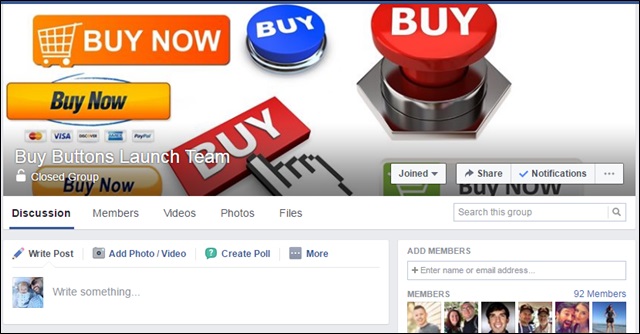
I also maintained an Excel spreadsheet with all the people who’d requested to join as well, and used that to email people directly. There were 92 people in the FB group and another 80 in my Excel sheet (with lots of overlap).
Examples of what I’d share with the group would be updates on the writing process, keyword research, marketing plans, etc. I tried to update them or give a video of what was going on with the book every few days.
One of the more innovative ways (if I do say so myself) I recruited launch team members was through a round-up post on Side Hustle Nation. I asked 40 or so author friends for their best book launch tips, which turned into this post.
But the “hack” was collecting responses using a Google Form, and including this optional question at the end:
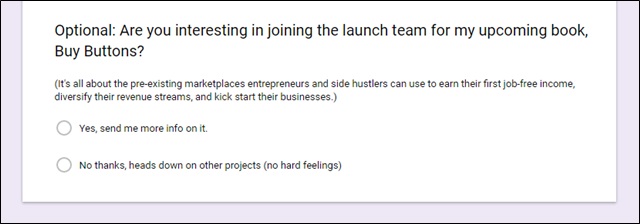
I think this one could work well if you don’t have a big audience. I’d reach out to influencers in the space your book is trying to reach.
Another alternative if you don’t have an audience of your own is to use a service like MyLaunchTeam to help build one for you.
“Vanity” Domain
I don’t know if “vanity” domain is the official term, but that’s what I’ve been calling BuyButtonsBook.com — basically the practice of registering a dedicated URL for your book.
This gives you an easy to remember URL to mention on podcasts, in blog posts, or on marketing material. Plus, I think it sounds cool.
Cost: $18.
Running Total: $979.
Leading up to the launch, I redirected the URL to a landing page where people could sign up to be the first notified about the book when it was released. I created a new list in AWeber and a super-simple landing page with LeadPages:
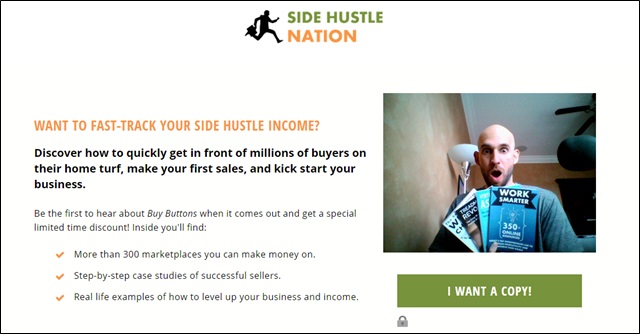
I mentioned this URL on the podcast a few times leading up to the launch and also on the blog. It only generated 24 sign-ups, but those people were highly likely to purchase when the book came out.
Once the book was live, I redirected the BuyButtonsBook.com vanity domain straight to the book’s sales page on Amazon.
If you’re hosting with Bluehost, it’s super easy to redirect a domain you own. Just go to “Domains”, “Redirects”, select your domain, and then type in where you want it to go: